Getting a new electricity connection is important for homes, shops, and factories that need regular power. QESCO (Quetta Electric Supply Company) has made it easy to apply online, so you don’t need to go to their office again and again. By following a few simple steps, you can complete your application from home without any problems. Here’s an easy guide on how to apply for a new QESCO connection.
How To Apply For A New QESCO Connection? 9 Steps Guide
If you need a new electricity connection from QESCO (Quetta Electric Supply Company), you can easily apply online. Just follow a few simple steps. The process is made easy so you can do everything from home without going to any office.
Step 1: Visit the Official Website
To start your application, go to the official QESCO website: https://enc.com.pk/. This is where you will find the form to apply for a new electricity connection.
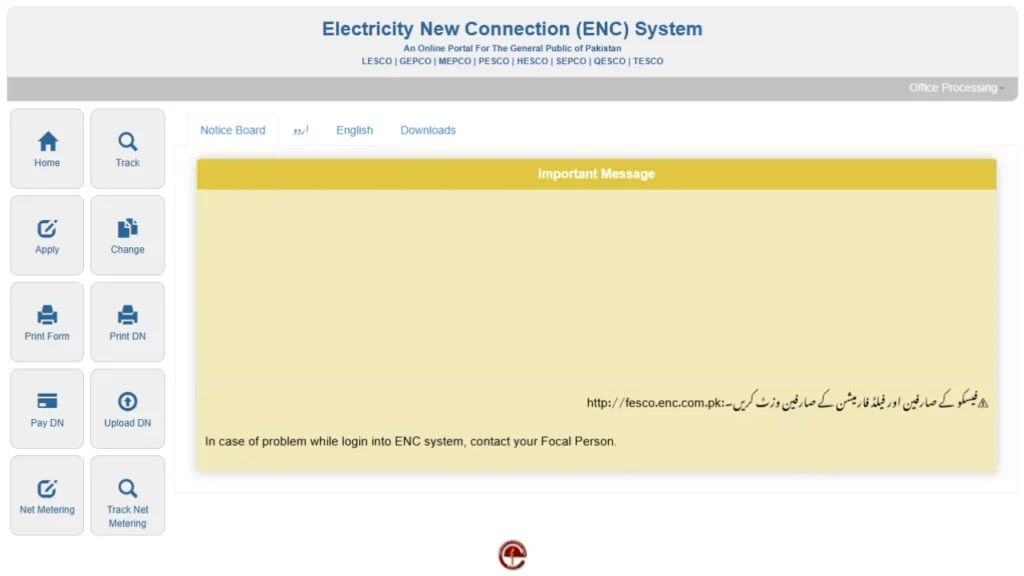
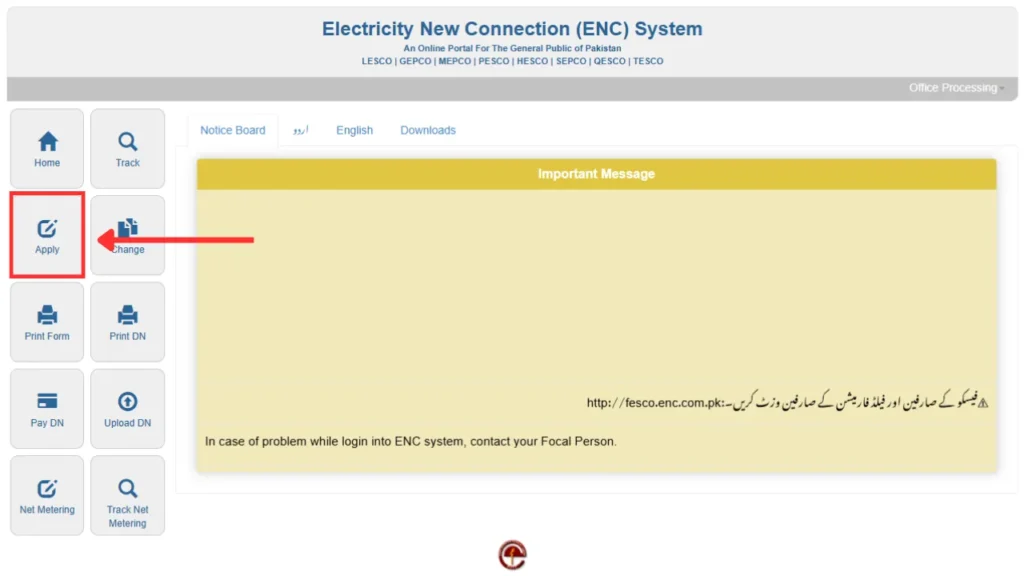
Step 2: Click On The Apply Button
When you open the website, look at the left side of the page and find the Apply button. Click it to start your application. This will take you to the page where you can fill in the required details for your new electricity connection.
Step 3: Select The Required Information
Now you need to fill out some important details in the form. First, choose QESCO as your electricity provider. Then, select your subdivision – this helps QESCO know which area your connection belongs to. After that, pick the Category Type based on how much electricity load you need.
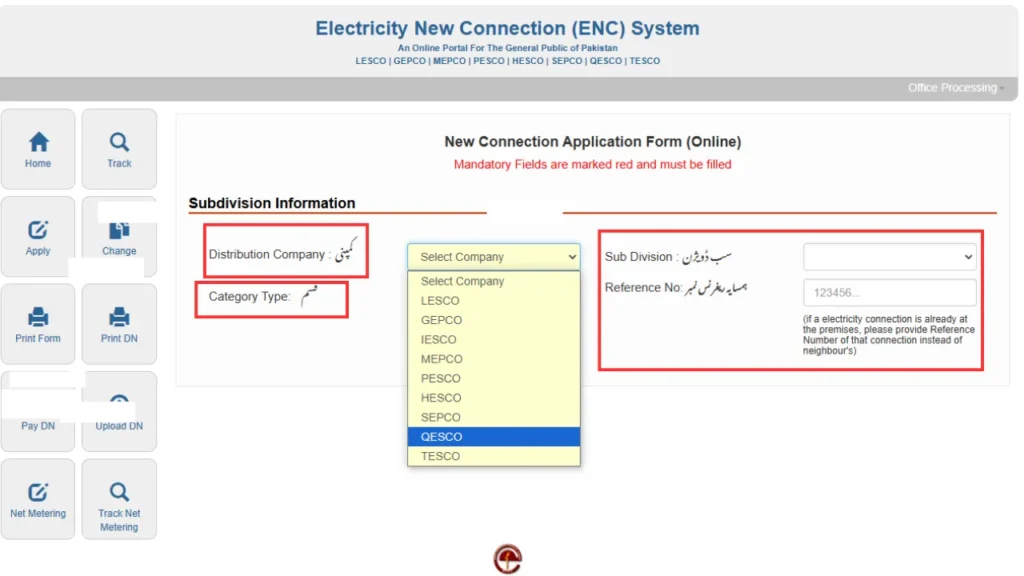
You can choose from load options like 15 kW, 70 kW, or 500 kW, depending on your need. You’ll also need to enter your neighbor’s reference number, which you can find on their electricity bill. This helps QESCO check your area and existing setup so they can process your request properly.
Step 4: Choose Connection Type
Next, you need to choose the type of electricity connection you want. QESCO gives you many options like:
- Domestic (for homes)
- Commercial (for shops and businesses)
- Industrial (for factories)
- Agriculture and Tube Well (for farms)
- Temporary (for short-term use)
- General Services
- Electrification Colonies
- Street Light
- Corporate Company
Pick the option that best matches your need. This helps QESCO process your request correctly and give you the right kind of service.
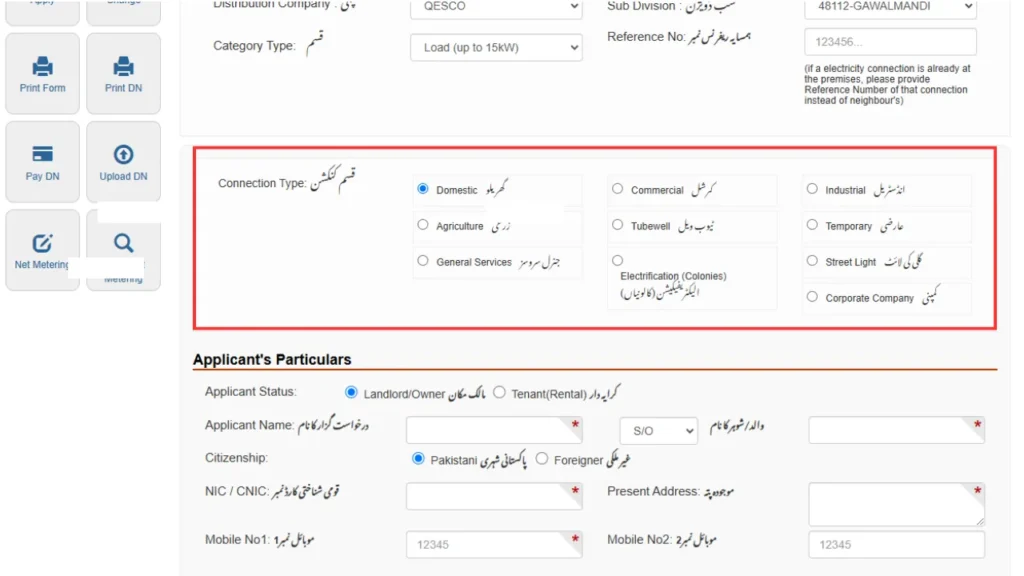
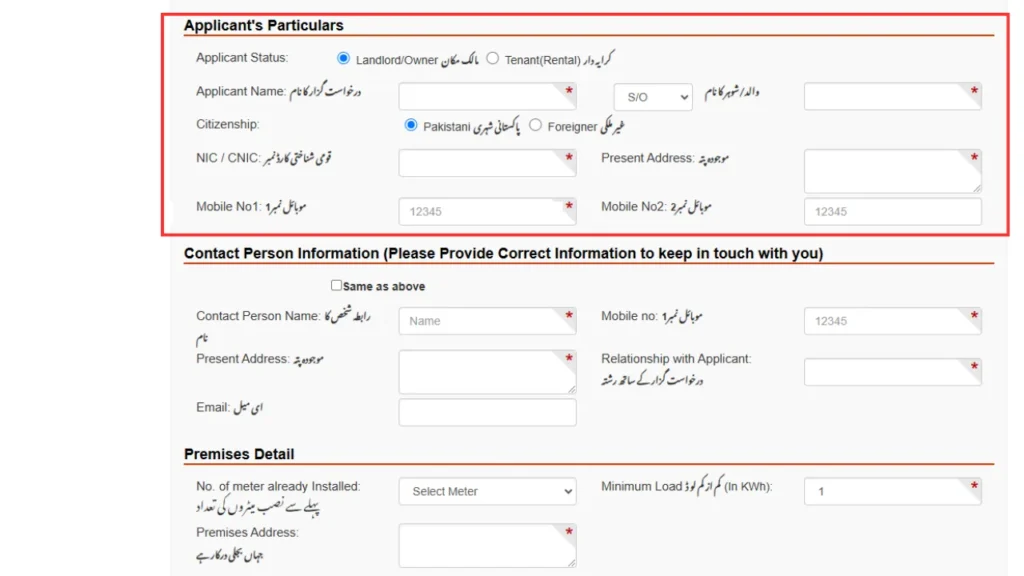
Step 5: Enter Applicant Details
Now, you need to give your personal information to confirm your identity. First, choose whether you are the owner of the property or a renter. Then, fill in the following details:
- Your full name
- Your father’s name
- Whether you are a Pakistani citizen or not
- Your NIC/CNIC number
- Your current address
- Your mobile number
Make sure everything is correct so your request doesn’t face any problems later.
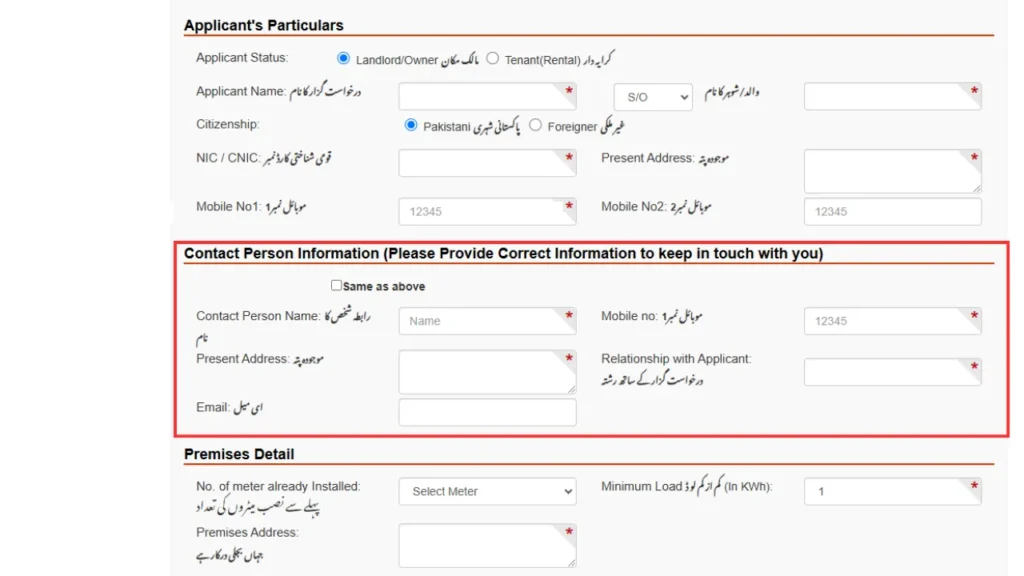
Step 6: Provide Contact Person Information
You also need to provide information about another person who can be contacted if needed. This includes their name, mobile number, current address, relationship with you (such as friend, brother, etc.), and email address if available. This extra contact helps QESCO reach someone else in case they are unable to contact you directly.
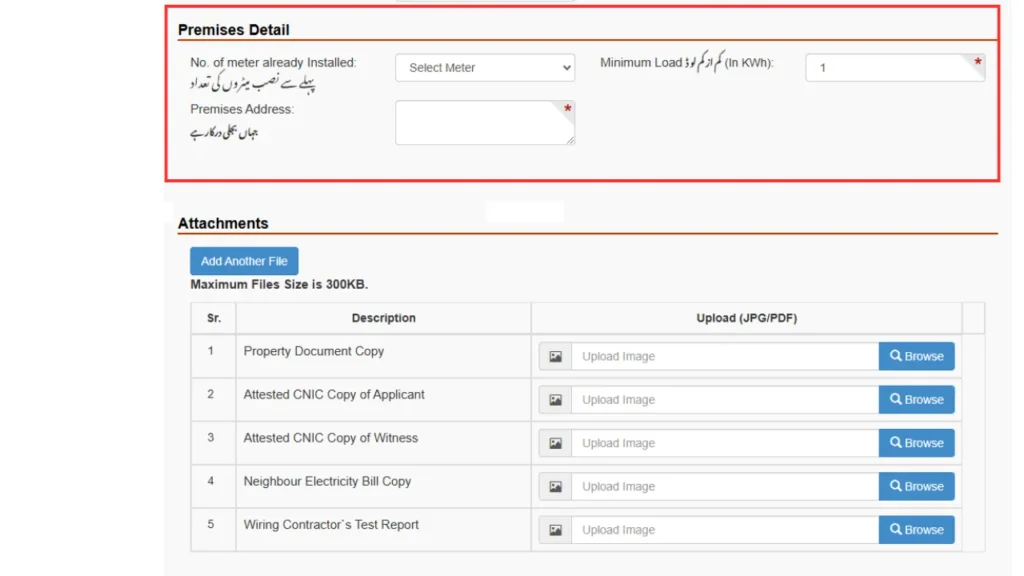
Step 7: Provide Premises Details
Next, give details about the place where you want the new electricity connection. Mention how many meters are already there (if any), the minimum electricity load you need, and the full address of the location. This helps QESCO check if they can easily provide the connection or if extra work is needed.
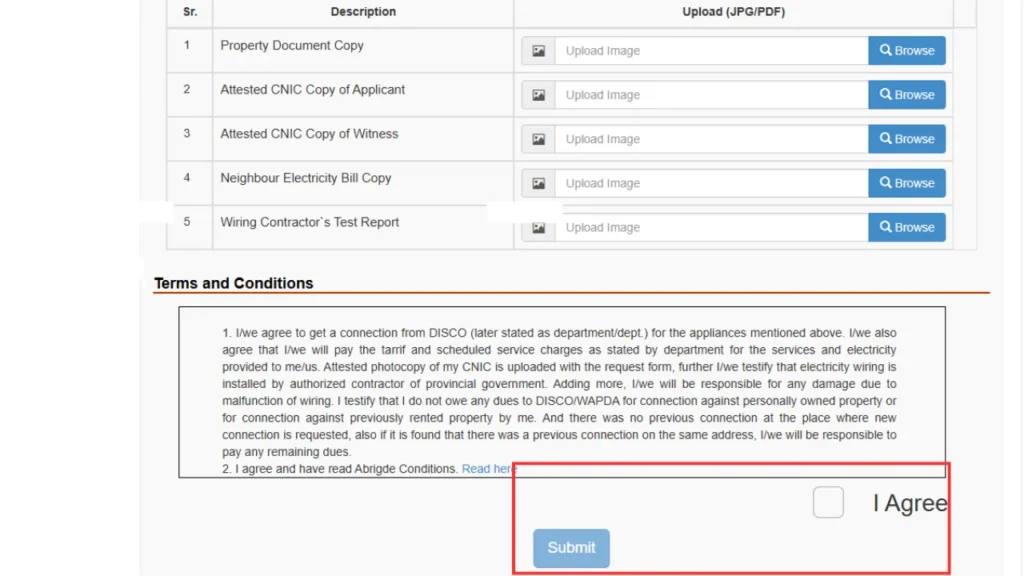
Step 8: Upload Required Documents
To complete your application, you need to upload some important documents:
- A copy of your property papers to prove that you own or rent the place.
- A signed copy of your CNIC to confirm your identity.
- A signed copy of a witness’s CNIC for extra confirmation.
- A copy of a neighbor’s electricity bill to help QESCO check the location.
- A test report from the electrician to show that the wiring is done properly and safely.
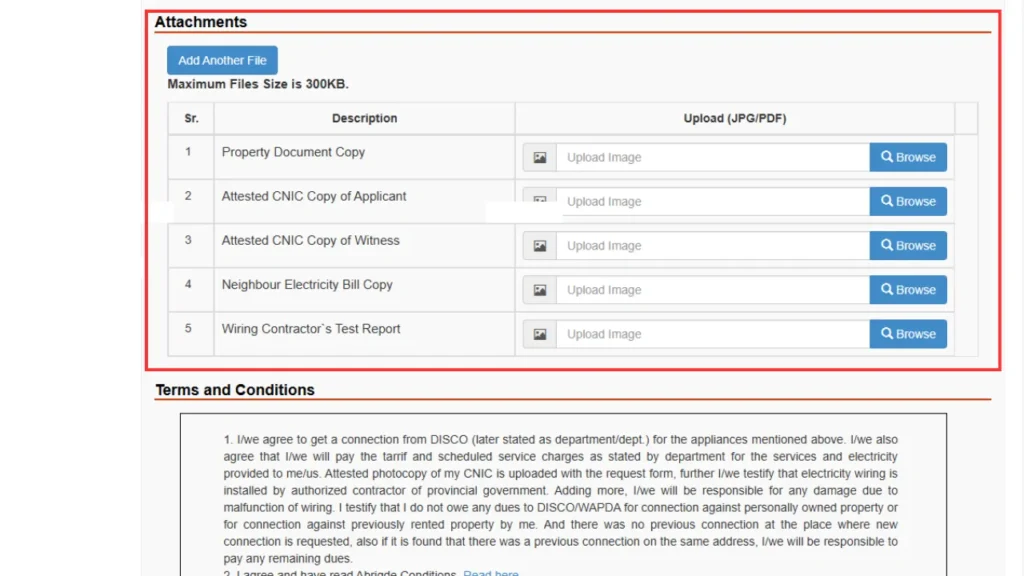
Make sure all documents are clear, easy to read, and scanned properly. Use the right file format before uploading to avoid any delay in the checking process.
Step 9: Review & Submit Your Application
Before you submit, take a few minutes to check all the details you entered. Make sure your personal info, address, and uploaded documents are correct. If everything looks good, click the “I Agree” button and then submit the form. If any information is wrong or missing, it can delay your application, so double-check carefully.
Final Steps
After you submit your form, QESCO will check and process your application. If they need more details or documents, they might contact you or your secondary contact. Once everything is approved, QESCO will install the new connection at your place. The time it takes depends on their workload and whether it’s possible to install the connection in your area.
More: